




Interested in developing your own Android application? Preparing to step into the world of mobile app development can be a big task, but it doesn't have to be overwhelming. If you already have an idea and a little bit of programming know-how, we'll show you how to get started and prep that app for release on the Google Play Store, plus show you all the links you'll need.
Install Android Studio
The first step will probably be the most straightforward step in the entire process, but also the most important. You can technically write an Android app with just the Notepad app pre-installed on Windows, but you'll want an actual development environment.

Any integrated development environment (or IDE, for short) will work for creating Android apps, but Google recommends Android Studio. This is the official IDE directly from Google that's purpose-built for Android apps, which means you get some tailored features for doing just that. It's optimized for Java and Kotlin and handles debugging those languages more efficiently since it's only valid for Android apps. On the other hand, something like Microsoft's Visual Studio can do a lot of things with a bunch of different languages, but it might have some features and things you don't really need for Android apps.
You can quickly grab Android Studio from the Android Developer website here.
Get familiar with Android development
Google recommends a little previous Kotlin experience, so you're not starting completely from scratch, but they offer some tutorials on building a sample app to get your feet wet. The initial app project is also freely available on the Android developer website and can be found here.
Additionally, Google has created several tutorials when you want to dig in a little further with some light reading. These range from beginner to advanced tutorials, covering the basics of Android development to more specific things like Kotlin and Java language training and some certification and degree programs. You won't need to complete all these to make your first Android app, but it never hurts to brush up on those skills when possible.
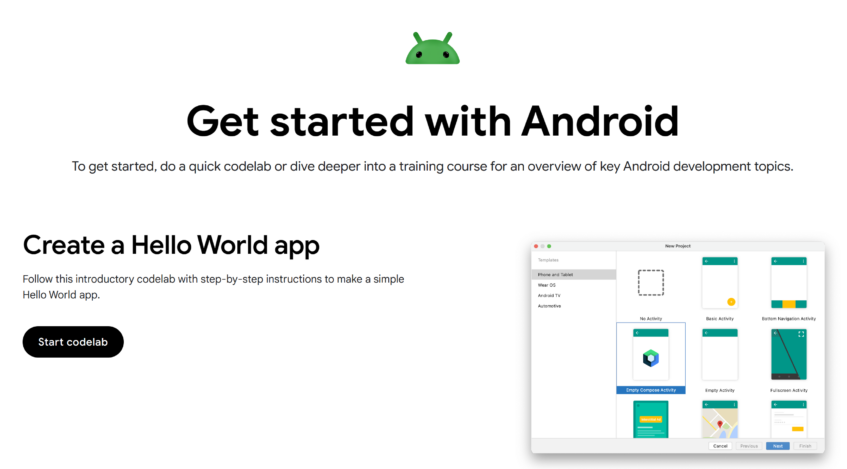
Test your skills with Android Codelabs
Once you're familiar with the basics of how developing an app works, you can test your skills through a ton of codelabs built to help you go hands-on with app development.
Like the training courses, Google has created nearly 100 pages of codelabs to work through, ranging from simple actions like creating click actions to more complex concepts like making a generative AI chat app. You wouldn't need to work through every single lab, but the basic labs will help you get started and some of the more advanced material can help you fine-tune the specific app you're planning on making. As you refine your app and prepare it for real users, handling requests, storing data, and maintaining uptime becomes crucial, making a reliable hosting provider an important part of your overall development setup.
Google has also kindly listed the estimated completion time on most of these codelabs so you can see at a glance which ones you can knock out on a lunch break or if it's a concept that might need a three-day weekend. These codelabs are available on the Android developer website here.
Reference code samples
Sometimes, it's best not to try to reinvent the wheel. For whatever app you're cooking up, there's probably already been some code written that you can use with minimal tweaking. Google has a library of code samples that you can grab for use in your app. These are also available on the Android developer website here, and it probably wouldn't be a bad idea to bookmark that page for future reference.
You can find other code samples all over the internet, too. Reddit and Stack Overflow are overflowing with troubleshooting and code sharing. Just be sure not to plagiarize any code when you do deep Google searches to solve a tricky problem.

If you're looking for a solid reference point for Android API references, Google has also neatly categorized that on the Android developer website. That's another link you'll likely want to lock into your favorites folder on your browser as you build apps.
There's a ton of information to digest around developing apps, but following the tutorials and resources Google has on the Android developer website is an excellent place to start. And who knows, maybe we'll see your app climbing the Google Play charts in the next few months.
Developers who need real users to test their app before release can use PrimeTestLab for managed Google Play closed testing. Before publishing, developers may also need 12 testers for Google Play to complete the required closed testing process.


