




Google just unveiled “Inbox,” which sounds a lot like our earlier story on Bigtop. It's a completely separate app from Gmail, which aims to be a better alternative for those that find they are overburdened with email. When Email started, it was a simple way to pass messages, and it made you more efficient. However, as email as grown over the years, it's gotten so distracting that it sometimes is hard to actually get things done. One could argue that it no longer makes us efficient.
According to Google, Inbox works for you and helps you get to the important information quicker. This is all done by new features such as Bundles, Highlights, Reminders, Assists, and Snoozing.
Bundles groups similar emails together just like the categories feature that was introduced last year. So now all your purchase receipts and bank statements will be grouped together for quick review. Want certain emails grouped together? Inbox will learn from your habits.
Highlights makes it easier to spot those important emails, which could be for events or emails that include photos or documents. Inbox is also smart enough to display any other important information from the web that might not even be in the original email. That could include flight status information or even package tracking information.
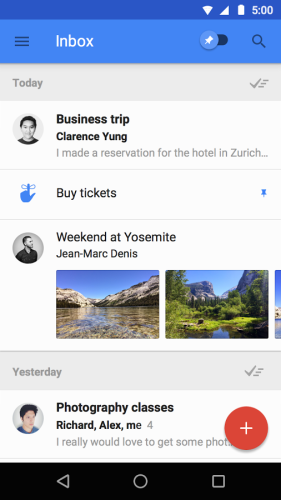
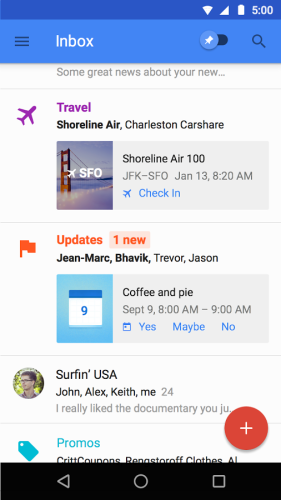
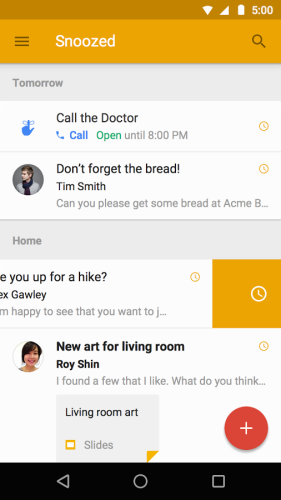
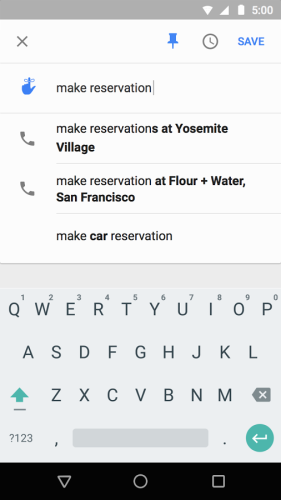
Inbox also lets you set Reminders such as picking up milk on the way home or giving someone a call. Assists will add information to both reminders and emails. So for example, let's say you set a reminder to stop at Target. Assist will provide you the phone number and even tell you if the store is even open. Let's say you booked a reservation at a restaurant. Assist will add a map to the confirmation email. The last feature we need to mention will come in handy for those times you see an email, and say to yourself, “I will deal with that later.” You know what happens then right? You completely forget about it. Instead of leaving it in your inbox, only to move down lower and lower, you can just Snooze it. It will come back to the top when you want it to so you can take care of it and not forget about it. Of course, Snoozing works with Reminders as well.
You can check out this short video showing some of the features…..

So when can you try Inbox? Well a little bit of bad news. Right now it's invite only, with the first round of invitations going out today. The good news is that new users will be able to invite their friends, and you can request an invite by sending an email to inbox@google.com. That should get you on their radar a little more effectively than sitting around waiting for one.
As I mentioned, Inbox is completely separate from Gmail. Those that want to continue using Gmail as it is today can continue to do so.
source: Gmail Blog

I would live an invite. I’ve been trying for weeks to get one.
Hmm – ‘It looks like you don’t have an invitation yet’