




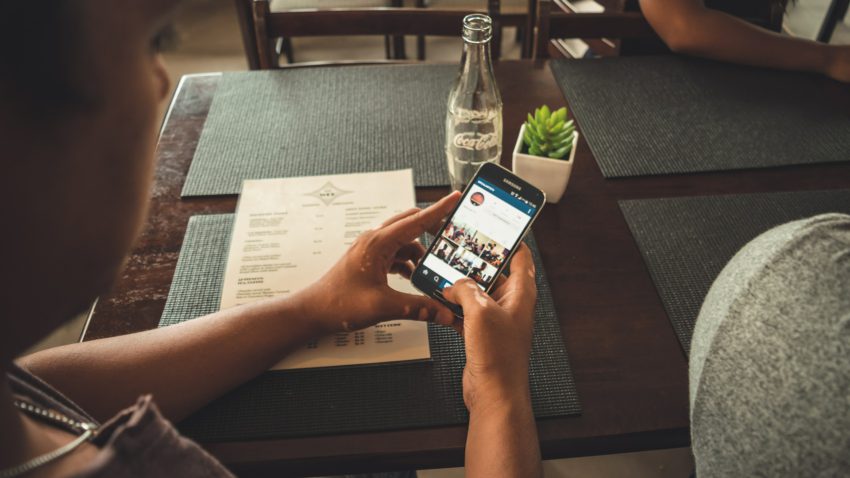
Are you tired of trying to find a professional photo editing app? With childish, low-quality photo editing apps a dime a dozen, it’s no wonder it’s hard to find something that will create a polished, professional look on all of your photos. With so much marketing done through photos these days, you can’t afford to use something less than the best. And even if you’re not a photographer or business owner, it’s also just as important to have high quality vacation, family, and event photos. That’s why we’ve compiled this list, which includes our top 7 favorite photo editing apps for Android.
Adobe Photoshop Express
Whether you’re a professional Instagram-er, a photographer looking for your selfies to look just as good as your photo sessions, or just someone who is wanting more features to edit their photos on the go with, I can’t recommend Adobe Photoshop Express enough. From blemish removal to filters, exposure and contrast to highlights and shadows, there’s so many awesome features to utilize in Adobe Photoshop Express.
Speaking of filters, in Adobe Photoshop Express, you can create your own custom filters. If you have your editing down to a science and have a specific way you set the exposure, contrast, shadows, and so on, you can save it to the filters, so that anytime you upload a picture, all you have to do is hit your custom filter to see how it looks. How awesome is that?
Download it now: Google Play
Photoleap App
When it comes to photo editing apps, Photoleap stands out as one of the best options available today. With a user-friendly interface and powerful editing tools, Photoleap allows users to enhance their photos in creative ways. The app offers a wide range of features such as advanced layering, blending modes, and artistic effects that enable both beginners and professionals to produce stunning visuals. Whether you’re looking to adjust lighting, add textures, or create eye-catching compositions, Photoleap provides all the tools you need. Its seamless integration with other apps and social media platforms also makes it easy to share your edited images with your audience, making it a top choice for those seeking quality photo editing at their fingertips.
Fix The Photo Body Editor & Tune

Fix The Photo App (FixThePhoto Editor & Retouch App) differs among all photo editing apps, combining manual retouching with AI filters to deliver high-quality, natural results. Users can request specific adjustments such as facial asymmetry correction, teeth reshaping, or body contouring, ensuring personalized, precise outcomes tailored to individual needs.
What sets this photo editing app apart is its offer of a free first photo and the ability to gat individual retouching realizing any request. Users can describe in detail what they want to see in the photo, and the retouchers will bring even the boldest ideas to life, turning your vision into a perfect image.
Download it now: Google Play
AirBrush
The AirBrush photo editing app has everything that you don’t typically get in a free app, but are certainly looking for. Unlike a lot of photo editing apps, you’ll easily have the ability to lighten or remove blemishes, edit (or even tan) your skin, and alter the shape of your face to be longer, shorter, thinner, larger, and so on.
Another awesome feature in AirBrush is the real-time photo editing option. Simply position the camera to take a selfie or photo, and you can edit it right then and there (on screen before you take the picture) to make sure you’ve got just the right angle, pose, or lighting. This feature ensures that you’ll make it out with the perfect shot every single time, eliminating the need for 100 selfies, and thus more phone storage space for you!
Download it now: Google Play
Snapseed
Have you tried all of the typical photo editing apps and been disappointed, resorting to editing all your photos on your computer? If that’s you, then you’re going to love Snapseed, a photo editing app that will finally take your plain smartphone photo and transform it into something that looks like it was taken in a professional photo shoot. With this app, you’ll no longer need that expensive editing software.
In Snapseed, you can make almost anything happen. You can open RAW files, utilize HDR, and take advantage of their awesome filters. Another one of our favorite features is called “healing.” Have you ever taken a fantastic photo of a breathtaking landscape, only to have your water bottle catch your eye in the corner of the photo? Or let’s say your parents are visiting from Florida, you go to take a nice picture of them, only to see someone decided to photobomb it? That’s where healing comes in. You’ll be able to remove unnecessary objects or visitors with just the touch of the screen.
Download it now: Google Play
PicMonkey
PicMonkey, a long-time popular photo editing website, is now available for smartphone use as an app! It’s been a long time coming, but they really spared no expense. With this fun app, you’ll have access to all of the basic photo editing features you commonly see, such as filters, ability to alter colors, exposure, contrast, shadows, and etc. But PicMonkey also has several capabilities outside of the norm that we think you’ll love.
One of those is the stickers, or “overlays.” There are some standard stickers you’ll have access to, like shapes and some others, but PicMonkey also updates their stickers for every season/holiday, so you’ll have something new all year around! Now, not only are these overlays great for photos, but you can also use them to create flyers, cards, and more. PicMonkey is also available in “premium,” for just a small fee, where you’ll get access to even more photo editing features and stickers.
Download it now: Google Play

Of course we all know about Instagram, but maybe you’ve been reluctant to take the dive. On Instagram, you’ll be able to share your life with the world, or just your close friends and family if you choose. Document your life through snapshots and short videos here and there, or every day. Similar to the other apps on this list, Instagram’s features include a ton of different filters, and you can even adjust the intensity of those, mix them with individual edits like contrast, exposure, shadows, etc, or leave them on their own. Each of your photos is completely customizable with their wide array of features.
Download it now: Google Play
BlendMix
Living up to its name, the BlendMix photo editing app lives up to its name, allowing you to blend and mix photos. You’ll get to choose from a bunch of different blending options, adjust the lighting on your different photo layers, adjust the colors, and share your creations on your favorite social media for all of your friends and followers to check out.
Similar to AirBrush, in BlendMix you’ll be able to “blend” in real-time. So if you want to take a selfie or a photo but peruse all of the different blending and mixing options beforehand, you can do that! As mentioned before, this will ensure you get the perfect shot (and blend) every time.
Download it now: Google Play
Pixlr
Full of a fantastic mix of features, Pixlr is another great photo-taking and editing app in one. It has unique effects like Color Splash and Focal Blur, and it even has double exposure so you can layer different photos, blending them into one to create something spectacular and out of the ordinary. Other features include sketching and adding text, cooling the photo colors down or warming them up, adding borders, and so much more.
Another great Pixlr feature is the “favorites” button. With over 2 million photo editing combinations available in the app, it can be hard to remember what way to edit was your favorite, and so of course, that’s where this button comes in. Simply “favorite” the features that you love, and they’ll all be stored so you can easily access them at any time. This makes Pixlr perfect even if you don’t have a large amount of time to work on your photos. Edit your snapshots in seconds!
Download it now: Google Play
Closing
Whatever kind of app you’re looking for, there’s something for everyone on this list. Whether you’re a professional photographer or your family has just deemed you that for taking all the photos at the get-togethers, we hope you found at least one of these helpful.

I have used all of them except BlendMix. The tools are really handy for shortcut photo editing. Sometimes it save lots of time in some cases.
If you like playing with instagram filters take a look at Deep Art Effects! It’s an app that renders your photos with different art style filters and makes them look like picasso or kandinsky or dalí had painted them. It’s a lot of fun!
Thanks for sharing the resource,
I am using KrojamSoft PhotoViewerPro for years, and I loved for my photo editing…
You should mention Google Photos as well. If you edit your photos in there, you can always go back to the original.