



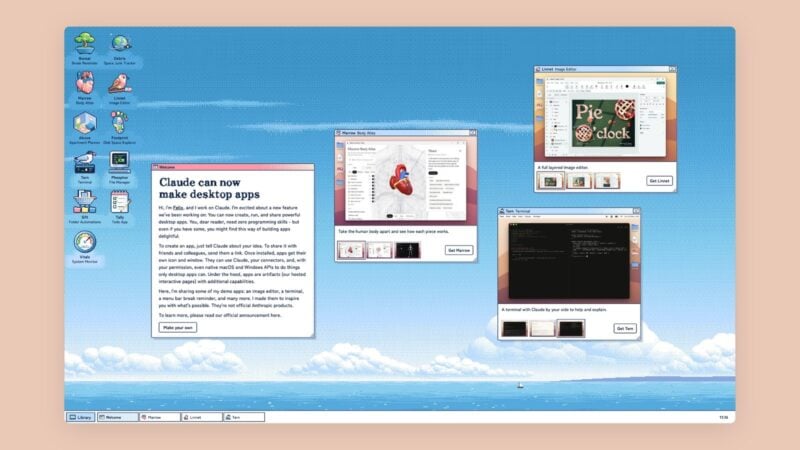
Anthropic now lets Claude users install artifacts as their own desktop apps on Mac and Windows. Artifacts are the small tools, trackers and utilities the chatbot builds inside a chat. The feature is called Install as app, and it started rolling out in beta on November 24 for every Claude plan. It doesn't work on phones: Android, iOS, the web and Linux aren't supported at launch.
In its announcement of the feature, Anthropic says an installed artifact gets its own icon and opens in a separate window instead of inside Claude. You can share these apps with other people, and an app has to ask for your permission before it can do anything on your computer.
How Install as app works
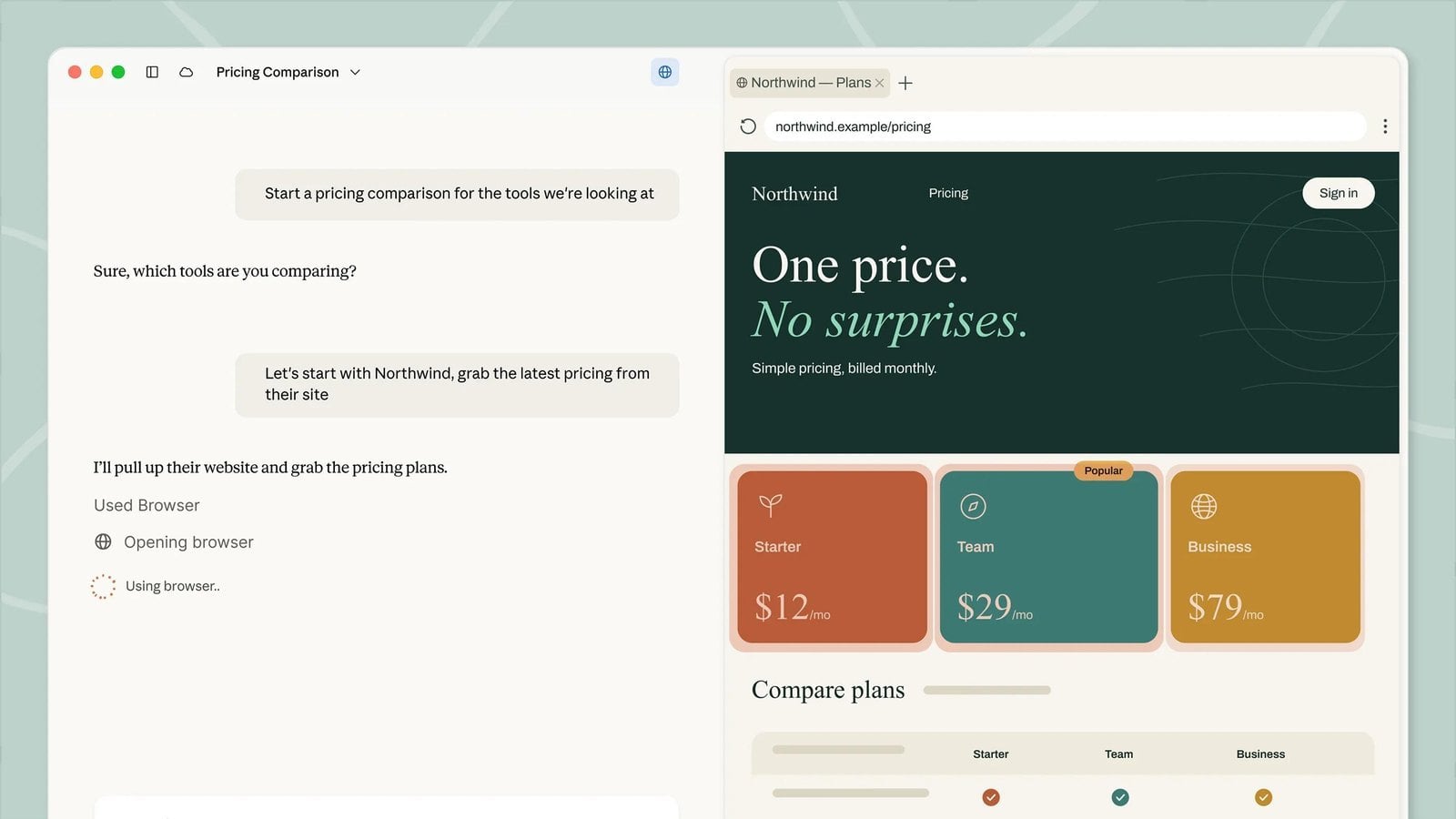
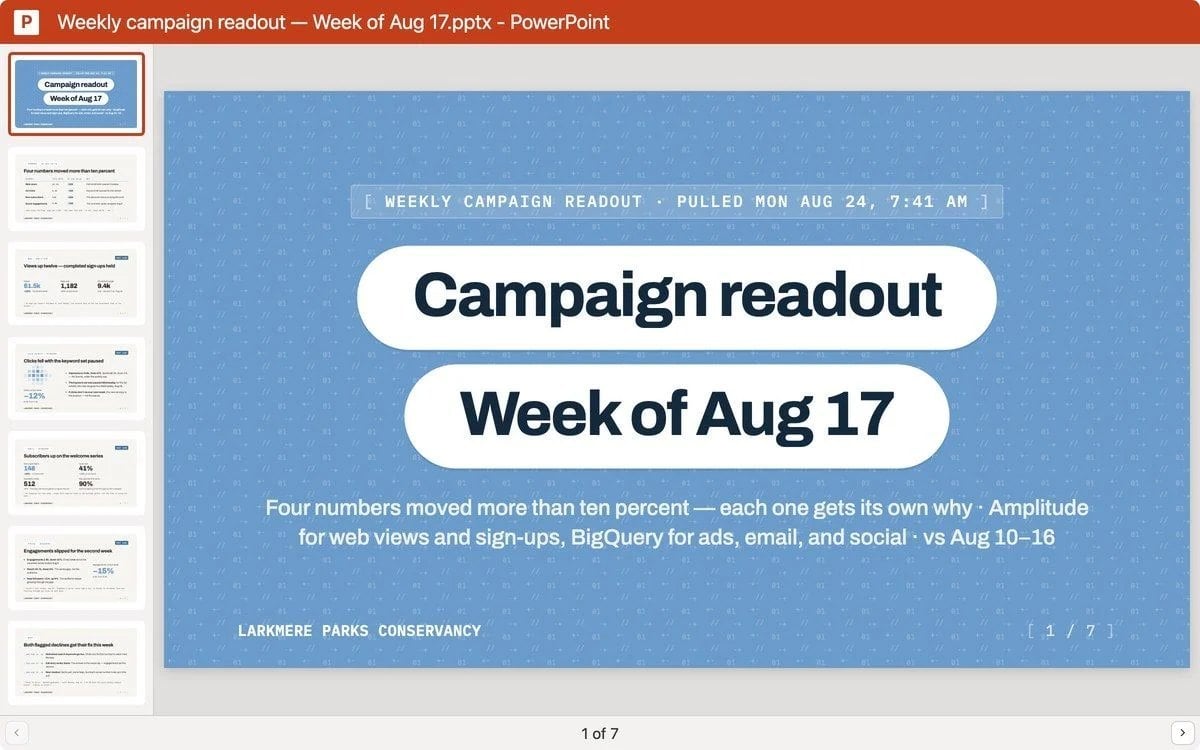
Artifacts started out as things you'd make once and share, like a chart or a simple webpage. Anthropic says many people now use them as everyday work tools. Its examples include a meeting-prep page that pulls from your calendar and email, and a list of orders that have to ship that day. Until now, using one of those tools again meant going back into Claude to find it.
Here's how it works. You describe the tool to Claude, try it out as an artifact, then pick “Install as app” from the Share menu, the artifact's title menu or the right-click menu. Claude asks you to confirm before it installs anything. You don't need to package or sign the app, and it runs on your existing Claude account, so there's no API key or extra login.
The installed app is still the same artifact underneath. If you or another editor changes the artifact, the app updates automatically. Apps can use Claude and any connectors you've set up. Building an app and every request it sends to Claude count toward your plan's usage limits.
On a Mac, installed apps go into a Claude Apps folder inside the Applications folder in your home folder, and you can find them with Spotlight. On Windows, they appear in a Claude Apps folder in the Start menu and as a desktop shortcut. Anthropic shared several apps its own staff built this way:
- Linnet: a layered image editor
- Phosphor: a file manager styled to look like a movie prop
- Sift: sets up folder rules and uses Claude to keep files organized
- Tern: a terminal with Claude built in to explain commands and help
- Vitals: a menu bar and system tray app for checking your computer's performance
Three levels of permissions
Installed apps can do more than artifacts in a browser tab, including sending notifications and adding items to the macOS menu bar or the Windows system tray. Anthropic puts this behind three permission levels:
- Default: the app can only do what it could already do in a browser.
- App permissions: the app can ask for features Claude can control closely, such as always-on-top windows, keyboard shortcuts that work in other apps, and notifications.
- Full computer access: the app can ask to run programs and to read, change or delete your files without checking with you each time.
Claude's help center says an app that is allowed to float over other windows can also see where your mouse cursor is on screen. Each approval covers only one version of an app, so Claude asks again after every update, even updates you made yourself. One exception: if an app loads code from another website, that code can change without a new permission request.
Full access has the most restrictions. You can only give it to apps you made yourself or, on Team and Enterprise plans, to apps made by people in your organization. On Free, Pro, Max and Ultra plans, anyone except you counts as outside your organization. That means an app a friend shares with you generally can't ask for full access. Anthropic also says it “doesn't review apps before you install them.”
You can change permissions at any time. On a Mac, click the app's name in the menu bar. On Windows, right-click the title bar or press Alt+Space. Then choose “Permissions.” Turning off full access stops the programs the app started, but it doesn't undo changes the app already made to your files. If someone stops sharing an app with you, the programs it launched can take up to about 20 minutes to shut down.
Availability and limitations
As of November 25, 2026, Install as app is rolling out in beta on the Free, Pro, Max, Ultra, Team and Enterprise plans. You need Claude for Mac or Claude for Windows version 6.28899.0 or later. Team plans have the feature on by default, but full access stays off until an admin turns it on. On Enterprise plans, the whole feature is off until an owner enables it. Organizations with HIPAA-ready configurations and hybrid deployments can't use it.
There are some other limits during the beta. You have to be online and signed in to the Claude desktop app to open an installed app, so they don't work offline. Artifacts made from templates, like Claude Docs, Slides and Sheets, can't be installed, and neither can legacy artifacts or live artifacts from Claude Cowork. Full access isn't available in Claude for Teachers or to K-12 organizations.
Anthropic's help center says apps aren't available on Linux, the web or mobile “at launch.” For people who mostly use Claude on Android, that means installed apps are desktop-only for now. Anthropic hasn't said whether the feature will come to other platforms or when.
If you're on a Mac or Windows PC and don't see the option, update the desktop app first. On a Mac, go to Claude > Check for Updates. On Windows, open the menu button and choose Help > Check for Updates. Then open an artifact you use often and choose “Install as app.” Team and Enterprise users may need an admin to turn the feature on.
