


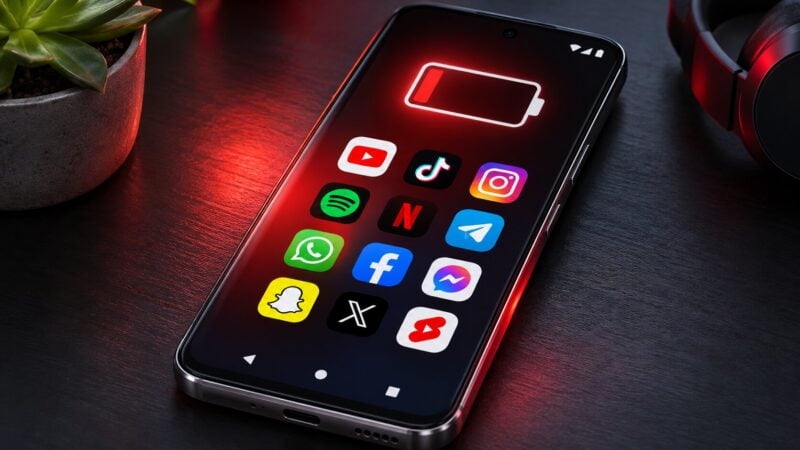
Your phone used to last a day and a half. Now it barely makes it to dinner, and the apps you rarely open are a big part of the reason.
The numbers are hard to argue with. A 2025 study by UK telecoms firm Elevate found the average phone now needs charging every day, down from roughly 1.5 days between charges in 2019. The culprit isn't just the hours you spend scrolling. It's what apps do in the background when the screen is off: refreshing feeds, pre-loading ads, syncing, and pinging your location.
A separate Opera study of millions of Android users found that over 30% of all mobile data is used by apps running in the background. Some of the biggest names on your home screen do most of their work when you're not looking.
These popular mobile apps are available on both iOS and Android. Here are 21 to check if your battery or data allowance is disappearing, what the studies found, and how to rein them in. Some of the research below tested Android devices specifically; those figures are not measurements of iPhone performance. Actual drain varies with your phone, settings and usage.
How to check your own phone: On Android, open Settings → Battery → Battery usage to see which apps consume the most power. Battery and background-data controls vary by manufacturer; look in each app’s battery and mobile-data settings to restrict background activity. On iPhone, open Settings → Battery to review app usage, then Settings → General → Background App Refresh to limit background updates for apps that do not need them. Apple’s battery guidance explains these controls. Restricting background activity can delay updates or syncing.
The streaming and video hogs
Video is the single biggest drain on any phone, and these three dominate every study.
1. Netflix

Netflix tops Elevate's list by a mile. The average user streams 60 hours a month on their phone, which works out to roughly 1,500% of a full battery charge — fifteen complete recharges just for one app.
The surprise is what happens when you close it. Elevate logged 13 hours of background activity per month, pre-loading recommendations and syncing your watch history. Download episodes over Wi-Fi and stream over cellular only when you must.
2. TikTok

TikTok drains about 825% of a battery per month according to Elevate, from 33 hours of use plus nearly 10 hours of background processing. It's also one of the worst apps for data you never agreed to use.
In a Cybernews experiment, researchers installed 100 top apps on a factory-reset Samsung and left it untouched for three days. TikTok used 317MB of data in the background without being opened once.
3. YouTube

YouTube pulls about 20% of your battery for every hour of viewing and adds 6–7 hours of background activity a month, for a total of 540% per month in Elevate's ranking.
A TRG Datacenters study also crowned it the most data-hungry app, at nearly 70GB per month for the average user. If you're on a capped plan, YouTube is almost certainly where it goes.
The social apps that never sleep
Social apps are built to refresh constantly. Six of them appear in the top 20 of every study we looked at.
4. Threads

Meta's X rival is a stealth drainer. Elevate measured 460% monthly battery use, with 6.9 hours of background processes — a lot for an app most people open for a few minutes a day.
5. Snapchat

Snapchat uses about 320% of a battery each month, and Elevate found roughly half of that comes from background activity rather than the 16 hours users actually spend in the app. Location sharing on Snap Map is a big part of the reason.
6. Instagram

Instagram shows up in every ranking. Elevate puts it at 300% per month with 4.5 hours of background processing. A separate OurPCB report ranked it joint-worst of 20 apps tested, with an 85% battery-impact score — and that drain happened even when the app wasn't open.
7. Facebook

Facebook burns 270% of a battery per month in Elevate's study, with nearly 6 hours of background activity. Uswitch ranked it the second-worst battery drainer of the 50 most popular apps, behind only the Google app. OurPCB scored it at 80%.
Users spend more time on Facebook than Instagram (18 hours vs 15), and the app's constant notification polling adds up.
8. X (formerly Twitter)

X made OurPCB's top 20 with a 75% drain rating. The app refreshes your timeline, pulls in video previews and runs notification checks whether you're looking or not.
9. LinkedIn

The surprise entry. LinkedIn scored 80% in OurPCB's index, putting it level with Facebook and AliExpress. For an app most people check once a day, that's a lot of background work — mostly notification syncing and feed pre-loading.
The background sneaks
These apps use little battery while open. The problem is everything they do when they're closed.
10. Spotify

Spotify is the clearest example of a stealth drain. It uses just 5% of battery per active hour, among the lowest in Elevate's study. But 13.5 hours of background activity a month pushes it to 225% total.
An Elevate spokesperson singled it out, noting that Spotify keeps consuming battery even when you're not actively listening. Turn off “Offline sync” over cellular and disable the “Canvas” video loops.
11. Fitbit (now “Google Health”)

Fitbit tied with Instagram for worst in OurPCB's report at 85%. The app keeps a Bluetooth connection open, tracks location during workouts, and syncs constantly in the background. Notebookcheck noted the drain occurred even when the app wasn't actively in use. The cited results concern the app version and devices tested; behaviour can differ between iOS and Android.
12. Facebook Messenger

Messenger is the worst offender for background data in Opera's study: about 73% of all the data it uses is consumed while you're not in the app. Uswitch ranked it third for battery drain overall. If you don't need instant delivery, restrict background data and let it sync when you open it.
13. WhatsApp

WhatsApp appears in all three studies: fourth on Uswitch's list, 75% on OurPCB's index, and over 50% background data usage in Opera's analysis. Auto-downloading photos and videos in group chats is the biggest fixable drain — turn it off under Storage and Data.
14. Gmail

Gmail joins Messenger at the top of Opera's background-data ranking, with 73% of its data used in the background. It's also in Uswitch's top 10 for battery. Syncing multiple busy accounts can add background activity. Review notification and sync options for accounts you rarely use; the controls differ between iOS and Android.
15. Telegram

Telegram rated 75% on OurPCB's list. Big channels push a constant stream of media, and the app's auto-download defaults are generous. Limit auto-download to Wi-Fi only.
Location, shopping and utility apps
Anything that wants your GPS or runs as an always-on service costs you.
16. Uber

Uber scored 75% in OurPCB's report and makes Uswitch's top 10. The app keeps location services warm so it can place you quickly when you open it. Set location permission to “Only while using the app”.
17. Waze

Waze sits in Uswitch's top 10 battery drainers. Live traffic reporting means constant GPS and data use, and it can keep running after you arrive if you forget to close it.
18. Amazon Alexa

The Alexa companion app made Uswitch's top 10, which surprises most people who only open it to set up a speaker. It maintains a persistent connection for notifications, drop-in and device status.
19. Google

Uswitch's single worst battery drainer across all 50 apps tested was the Google app itself. Its role differs by platform: on Android it can integrate with search widgets and voice features, while on iPhone it is a separate app. Review its notifications, location permissions and background activity. On Android phones where it is pre-installed, removal options vary by manufacturer.
20. AliExpress

AliExpress scored 80% in OurPCB's index, level with Facebook. Shopping apps run aggressive background refreshes for flash sales and price alerts. If you only buy occasionally, uninstall it and use the website.
21. CapCut (and any free app with ads)

CapCut is the fastest drain per hour in Elevate's entire study: 30% of your battery for every hour of editing, 300% a month. Video rendering is simply expensive. It stands in here for a whole category: free apps that pay their way with ads.
A Purdue University and Microsoft study found that in free, ad-supported apps, up to 75% of the power used went to serving ads and tracking rather than running the app. A quarter of the apps tested also contained “no-sleep” bugs that stop the processor idling.
Did You Know? Elevate's data shows the average smartphone in 2019 lasted about 1.5 days between charges. In 2025 it needs charging daily — and bigger batteries haven't closed the gap, because apps have grown hungrier faster.
What the studies found, side by side
| App | Study | Finding |
|---|---|---|
| Netflix | Elevate 2025 | 1,500% of a charge per month, 13 hrs background |
| TikTok | Elevate / Cybernews | 825% per month; 317MB background data in 3 days unused |
| YouTube | Elevate / TRG | 540% per month; ~70GB data per month |
| Threads | Elevate | 460% per month, 6.9 hrs background |
| Snapchat | Elevate | 320% per month, half from background |
| Elevate / OurPCB | 300% per month; joint-worst (85%) in OurPCB | |
| CapCut | Elevate | 30% per hour — fastest drain of any app |
| Elevate / Uswitch | 270% per month; #2 of 50 apps on Uswitch | |
| Spotify | Elevate | 225% per month, 13.5 hrs background |
| Fitbit | OurPCB | Joint-worst (85%), drains while closed |
| Messenger | Opera / Uswitch | 73% of data used in background; #3 on Uswitch |
| OurPCB / Opera | 75% rating; 50%+ data in background | |
| Gmail | Opera / Uswitch | 73% of data used in background |
| Google app | Uswitch | #1 battery drainer of 50 apps tested |
The Bottom Line
You don't have to delete your favourite apps to get your battery back. On Android, review background-data and battery restrictions; on iPhone, review Background App Refresh. On either platform, limit unnecessary location access and download streaming content over Wi-Fi. The improvement depends on how you use your phone.
The apps that deserve the uninstall button are the ones you rarely open but which never stop working: Fitbit if you no longer wear one, AliExpress if you shop twice a year, and any free game stuffed with ads.