




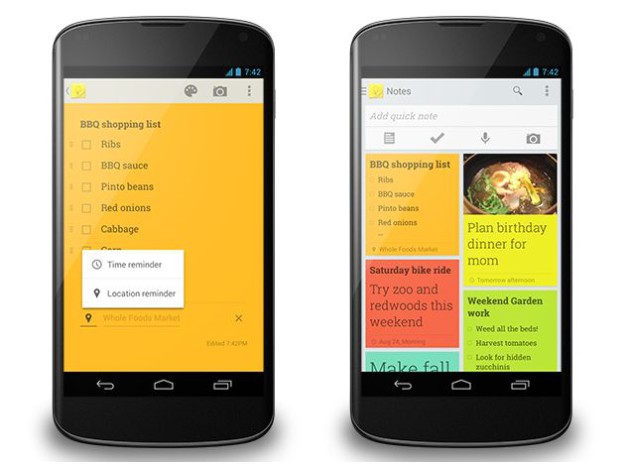
When Google Keep launched last March, there was one thing keeping me from using it: reminders. Well that's no longer the case as Google just added them to version 1.0.79. Not only will Keep remind you at a specific time, but you can also set it to remind you based on your location. There is now a “Remind Me” button at the bottom of each note. You can set it to remind you at a specific date and time or a general time of day, such as tomorrow night. For locations, Google Drive will make suggestions as you type. Of course reminders are no good without a snooze function, and Google has you covered there.
Google also added a new navigation drawer, which is a way to view all upcoming reminders. You can even switch easily between home and work accounts. Last but not least, adding photos to notes is much easier with the camera icon. Just tap it and you will be given a choice for taking a new photo or adding an existing one from your Gallery.
I will definitely give Google Keep another try. The update is gradually rolling out to Google Play so you might not get it right away. Download links after the break.

