




In about a month, we will get the newest version of Android, Android L (or whatever they will call it) featuring Material Design. The big question is what, if any, changes will manufacturers make to their interfaces? Samsung is by far the most popular brand when it comes to Android phones, but their TouchWiz interface has never excited anyone. Will they finally change that dated Gingerbread look?
The folks over at Sam Mobile got their hands on an early build of the next version of TouchWiz on the Galaxy S 5. Although very buggy and slow, it reveals where Samsung is headed with Material Design.
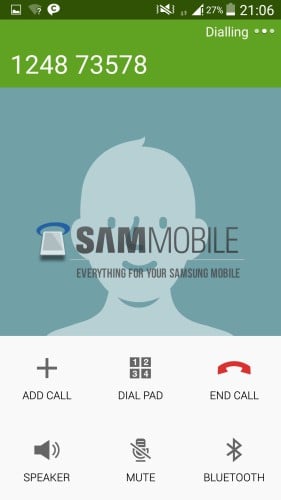
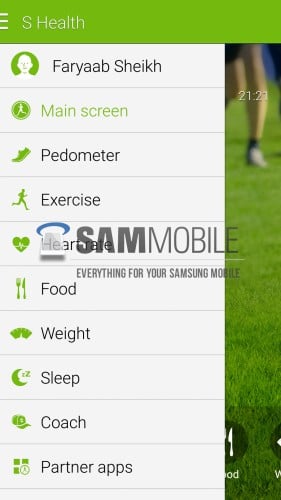
Sadly the overall UI, as in the Launcher, hasn't changed all that much. You still get the Gingerbread look. However, Samsung has revamped their core apps to reflect Material Design. Apps such as the Dialer, Messages, Memo, and S Health, and Clock all include Material Design guidelines. At this point, there are no in-app animations as floating buttons are just simple buttons.
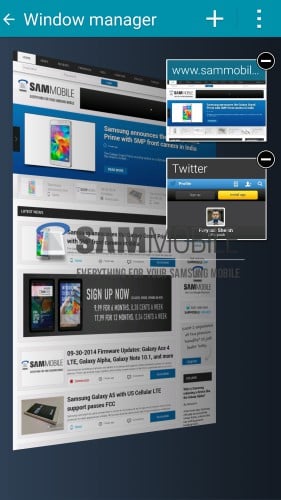
Samsung also added lock screen notifications just like Android L, but they are limited to only two. There's also a new clipboard feature that will keep track of your screenshots and copied text.
We have the hands on video below, and if you want to see more, there are a slew of screenshots at the source link.
https://www.youtube.com/watch?v=2yBLqnokjPM

I hate the “material design” and love the old UI .. and this overhaul looks halfassed at best. I don’t quite get why there is so much hate on the Touchwiz interface. All revierwe sites seem to hate it but none of the people I talk to does.
Clipboard had been in TouchWiz since Gingerbread or ICS, it’s just that you had to access it from the keyboard. The phones already have that.
That’s a pretty pathetic attempt at a UI overhaul. I’m definitely going to look into alternatives moving forward. Plan to replace my Note 3 in a couple months and the Android OEMs are all over the place. Good phones with craps cameras or batteries, or a craps UI filled with bloat, or a stylus and a bunch of gimmick features.
I need something more fundamentally sound. Iam really starting to feel like I’m settling by staying on this platform . There is no attention to detail from any of them.
This looks good.